Browse any bucket: the Bucket Explorer
The Storm Buckets file browser now points at any S3-compatible endpoint, not just ours. Where your key actually goes, what the demo bucket is for, and the CORS config you'll need before your own bucket works.
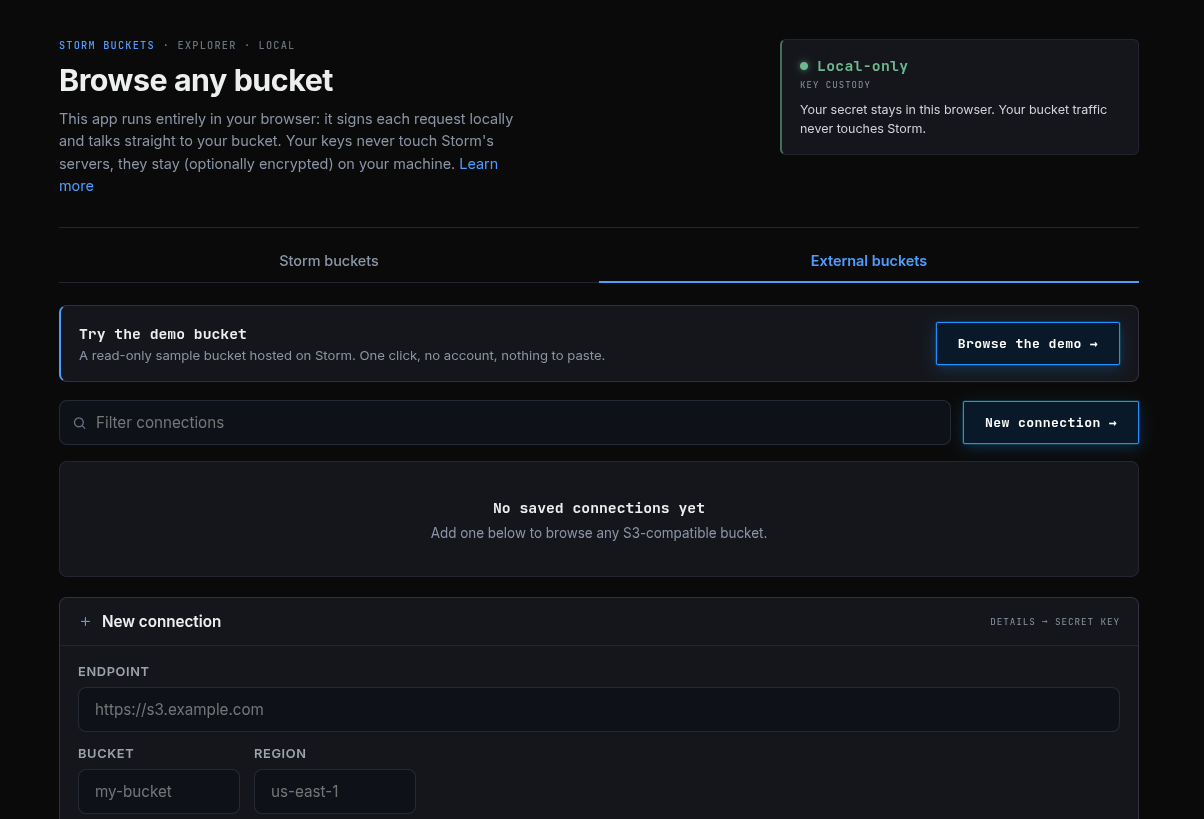
Early June we shipped a file browser inside the Storm Buckets dashboard: browse, search, preview, and upload your bucket from the browser, with your key never leaving your machine. The Bucket Explorer is that same browser, on a public page, pointed at any S3-compatible bucket. One of ours, or one of yours somewhere else entirely - a Backblaze bucket, a MinIO box you're migrating off, a Garage node in your closet.
You don't need a Storm account to use it on an external bucket. The page is at stormdevelopments.ca/buckets/explorer.
Where your key goes
The explorer is a client-side app. Your browser holds the key, signs each S3 request itself, and talks straight to the endpoint you typed. Storm's backend never receives the key and is never in the path of a read or write. The dashboard hands your browser the app and gets out of the way, same as the internal file browser.
Open devtools while you browse and look at any request. The Authorization header has two visible parts: your access key ID, which is the public half of the credential, and a signature. A signature can't be reversed back into the key, and a captured request is only replayable as that exact request.
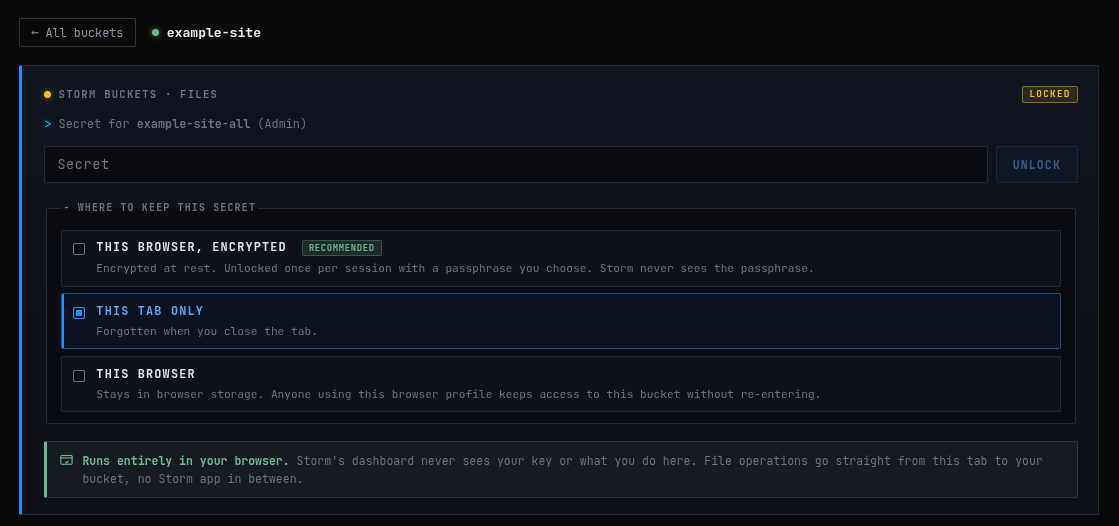
Where the secret lives between requests is your call, made when you connect:
-
This tab only. Gone when the tab closes.
-
This browser. Stored for next time.
-
Encrypted at rest behind a passphrase. The recommended option. Storm never receives the passphrase either.
Try it without pasting anything
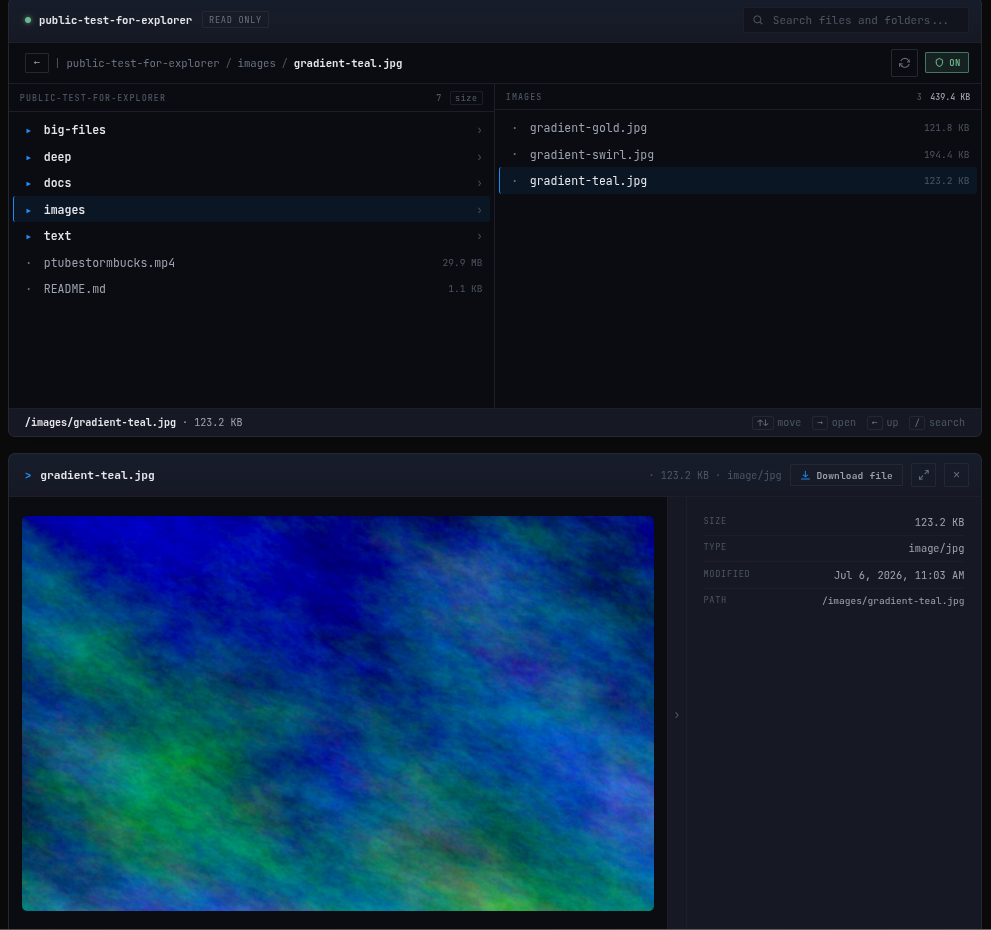
There's a public demo bucket on the External tab. Its read-only key, it can list and read one sample bucket of generated data, and nothing else.
Nothing in it is real: the biggest file is random bytes, the images are generated gradients, the log is synthetic lines that say so on every line. A few things worth trying while you're there:
- Open
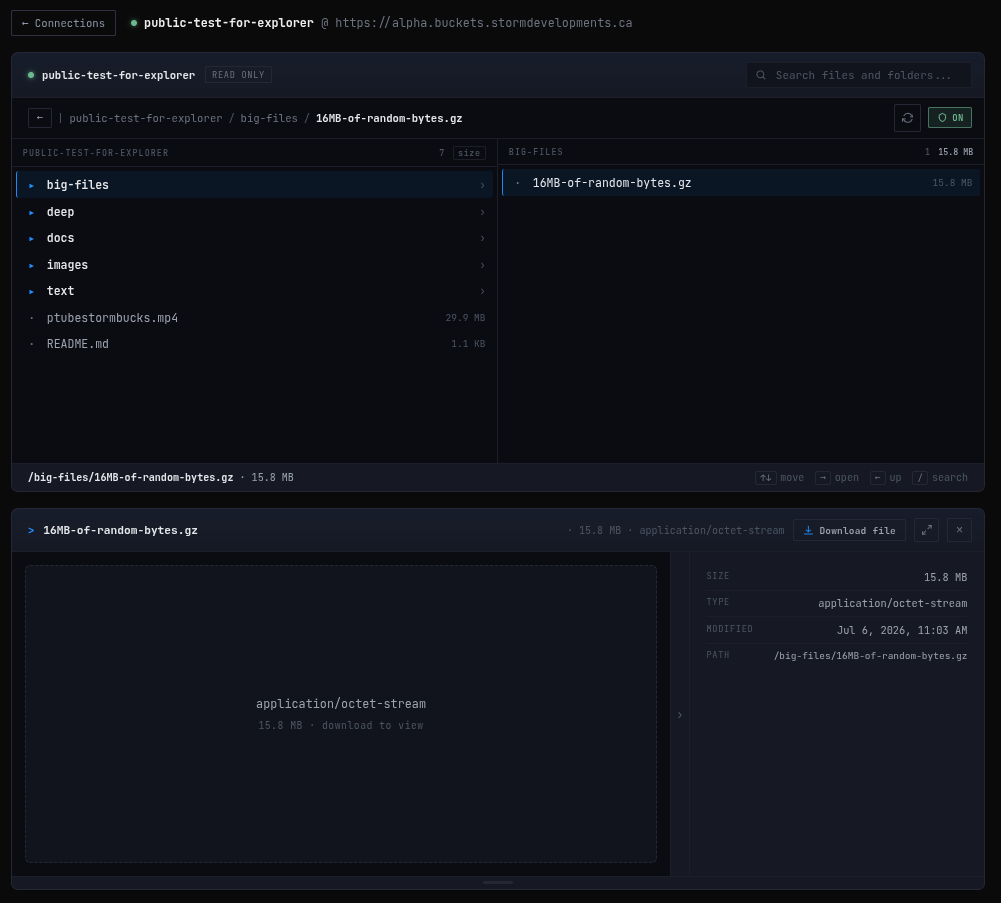
big-files/. The 16 MB file shows its size and waits for a tap instead of downloading because you clicked a row. That's egress safety mode. On your own metered bucket, it's the difference between browsing and a bill.
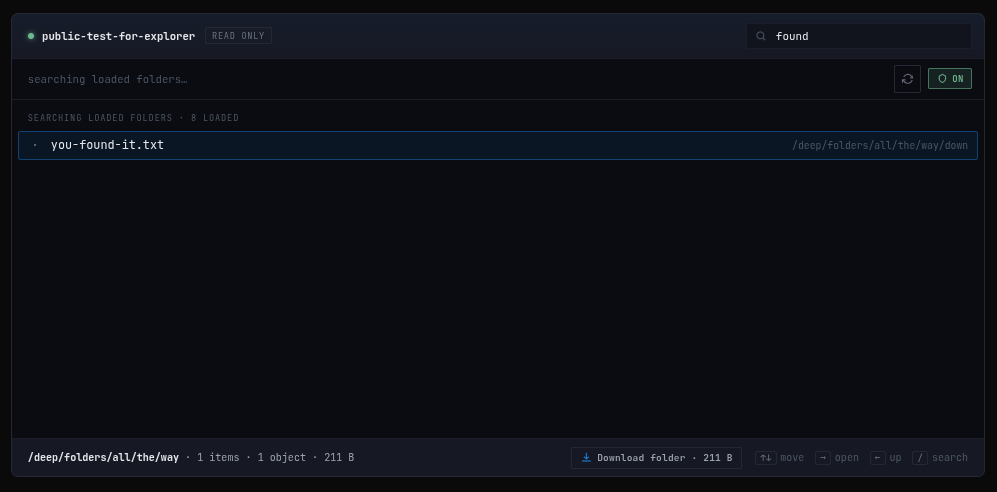
deep/goes six folders down with one file at the bottom. Once the folder has loaded, search finds it faster than clicking.
- Try uploading something. The key can't write, and the page doesn't pretend otherwise. That's the point of bringing a read-only key to a web page.
Connecting your own bucket
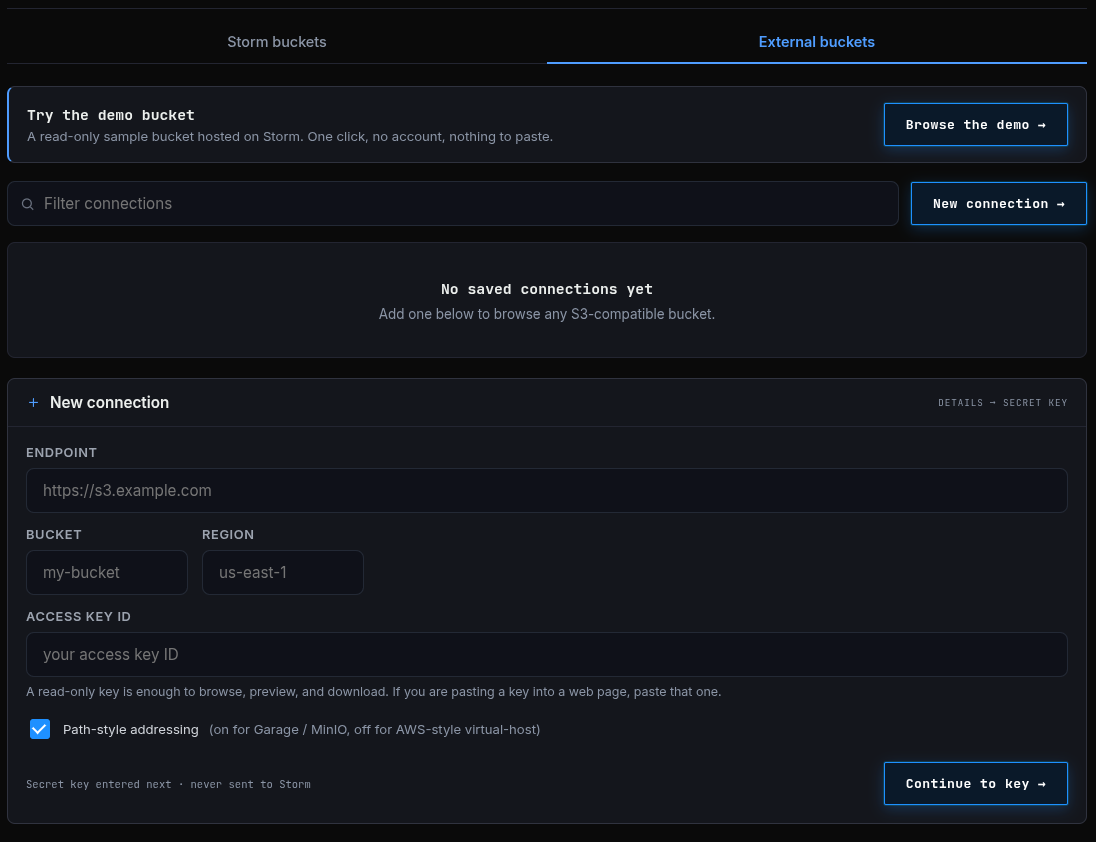
The connection form is two steps by design: the connection identity first (endpoint, bucket, region, access key ID), the secret second. The identity is saved in your browser so you can reconnect with a click. The request goes through the storage choice above and is never sent to Storm.
Two things to get right:
Path-style addressing. The form has a checkbox for it, on by default. Leave it on for Garage and MinIO, which expect endpoint/bucket/key. Turn it off for AWS-style virtual-host addressing (bucket.endpoint/key). If your first listing fails with something that looks like a DNS or certificate error, this checkbox is the first thing to check.
CORS. This is the one piece of real setup, and it's not optional. Because your browser talks directly to the bucket, the bucket has to say your browser is allowed to — that's the browser's cross-origin policy doing its job. A tool that proxied your requests through its own server wouldn't need this step, and the fact that the explorer does is a direct consequence of keeping your key out of anyone's server.
What it speaks
Plain S3 with Signature v4, path-style or virtual-host addressing. It's built against Garage - the engine under Storm Buckets - and it runs against our own buckets all day. Other S3-compatible endpoints that speak standard SigV4 should behave the same way. If yours doesn't, that's exactly the kind of thing the Feedback Bounty exists for: tell us what endpoint and what broke, and we'll chase it.
Storm Buckets is Canadian-hosted, S3-compatible object storage built on Garage, in open alpha. The explorer is one view onto a plain S3 bucket — rclone and the AWS CLI see the same objects.
100% Canadian Hosted.