Import and Backup: bring your data in, or keep a copy off-site
One-time transfer or a running schedule, both from any S3-compatible provider. What Storm keeps of your source key, how the restore test actually proves the copy is good, and the difference between the two.
Everyone with data on S3 has had the thought: get a copy somewhere else. Maybe leave entirely.
Then nothing happens. The honest next step is rclone config create, a spreadsheet of endpoint URLs and keys, a cron job you'll forget exists, and a nagging feeling you should test a restore sometime. Sometime never comes. The data stays on one provider, one account, one bad day from being the only copy.
We built two tools for the two people that describes.
If you're moving, Import runs once
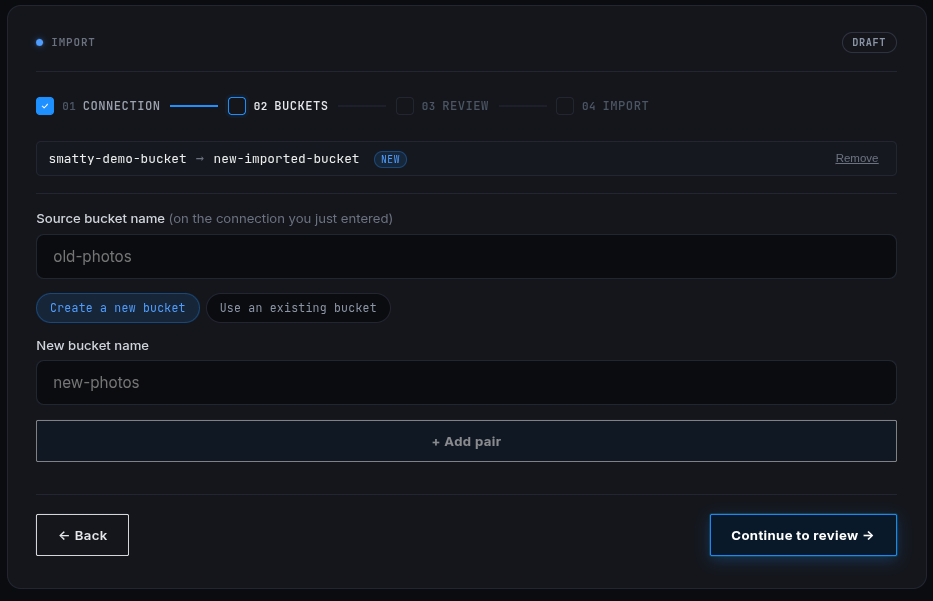
Point it at your old provider, pick which buckets go where, and it copies. No rclone config, no terminal. Your source key touches Storm's server exactly once, to start the job, and it's never written anywhere after that.
If you're not moving, Backup runs on a schedule
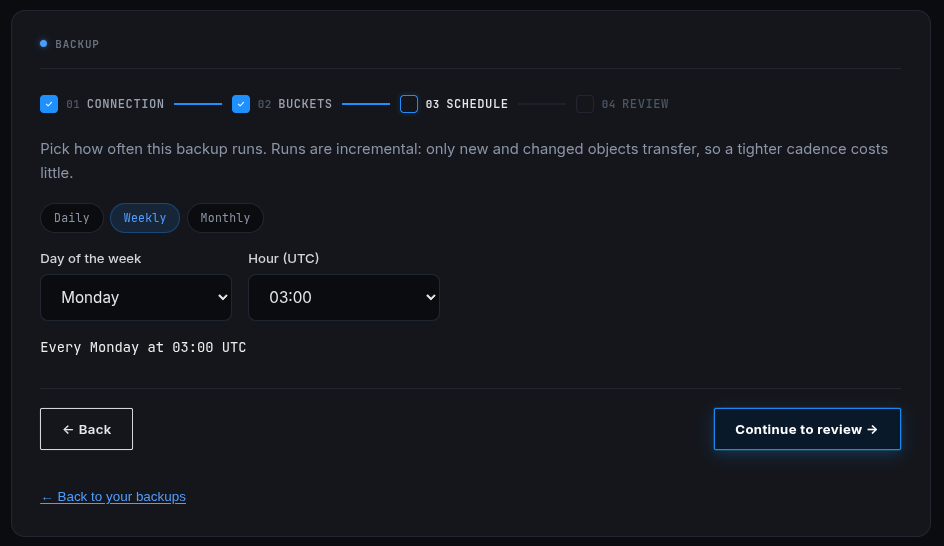
Same connection, but instead of a one-time copy you set a cadence, daily, weekly, monthly, and Storm pulls what changed since last time. This is Storm as your offsite copy: still on your current provider, still using whatever tools you already have, with a second copy landing here automatically whether you remember it or not.
Both come with an actual restore test
Not a green checkmark that means "the job didn't error." Storm reads real objects back out, your largest file, your smallest, one from every folder, and shows you exactly what it checked and what size it came back as. A backup nobody's ever restored from isn't a backup, it's a hope.
Import gets you off a dying stack without a terminal. Backup gets you a second copy without ever having to remember it exists.