Introducing: Storm Buckets File Browser
Browse, search, preview, and upload your S3 bucket from the browser. The Storm Buckets file browser runs client-side, so your key never leaves your machine.
Browse, search, preview, and upload the objects in your S3 bucket from the browser.
The Storm Buckets file browser is a client-side app: your browser holds the key, signs each S3 request itself, and talks straight to the bucket. Your secret stays on your machine, optionally encrypted at rest behind a passphrase, and Storm's backend never receives it and is never in the path of a read or write. The dashboard hands your browser the app and gets out of the way.
Storm Buckets are plain S3, so you can always reach them with rclone or the AWS CLI. This is the same bucket, shown as a file manager. Here is what each part does.
Walk your bucket as a folder tree
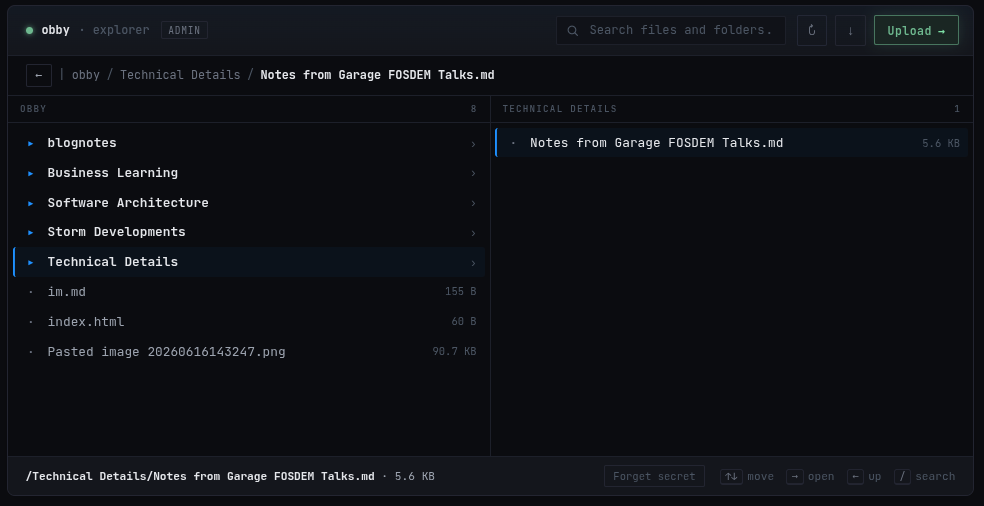
Open the Files tab and the bucket renders as a tree. Folders expand, every object shows its size, and you move with the arrow keys or the mouse. The path bar tracks where you are, so a bucket reads like a directory instead of a flat S3 key listing.
Search across your files
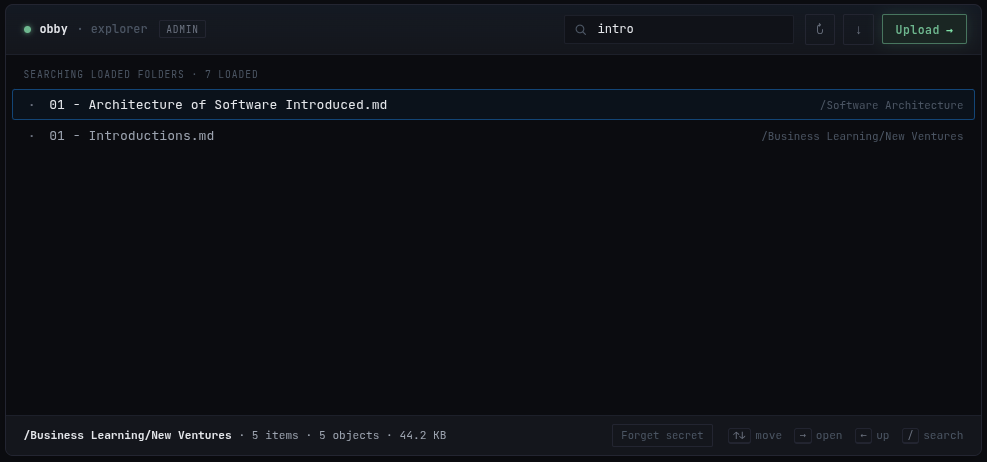
Type in the search box and it matches across every folder you have loaded. Searching note surfaces a Notes from Garage FOSDEM Talks.md buried three levels down, without expanding each folder to find it.
Preview images without downloading them
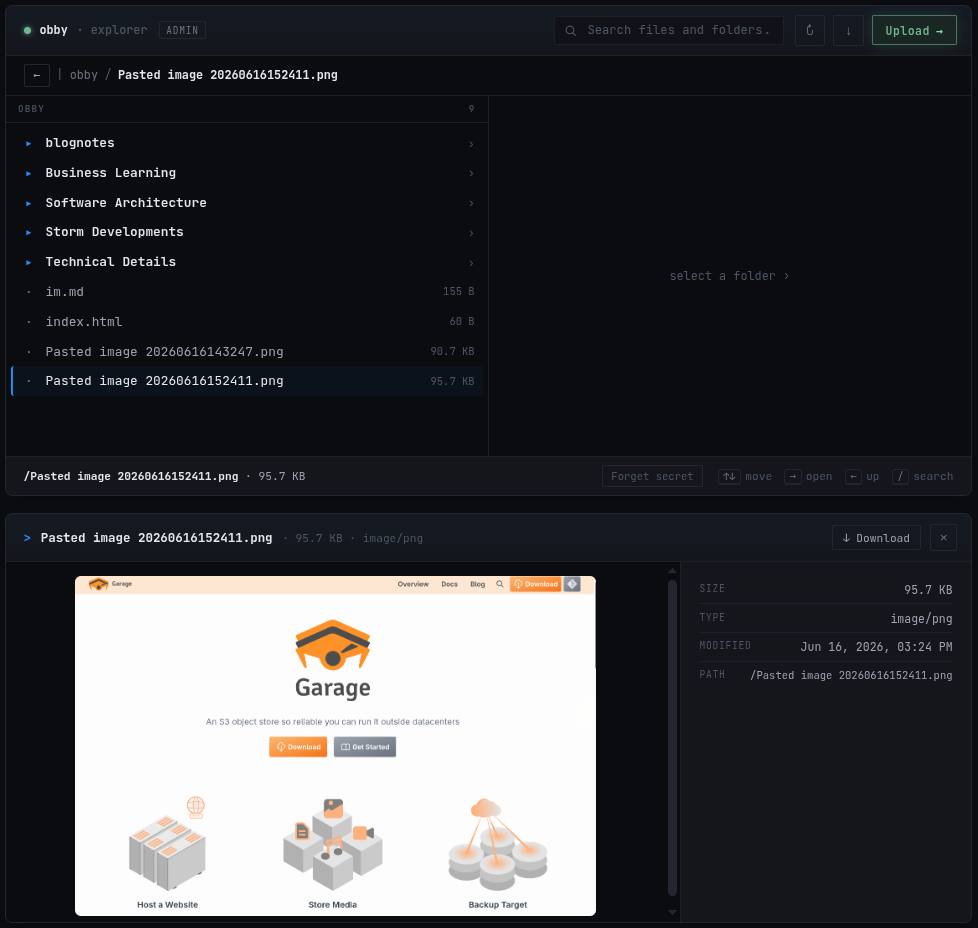
Click an image and it renders in place, with its size, type, last-modified date, and full path beside it. Paste a screenshot straight into the page and it uploads as a PNG you can open a second later, no trip through a downloads folder.
Read text and markdown in place
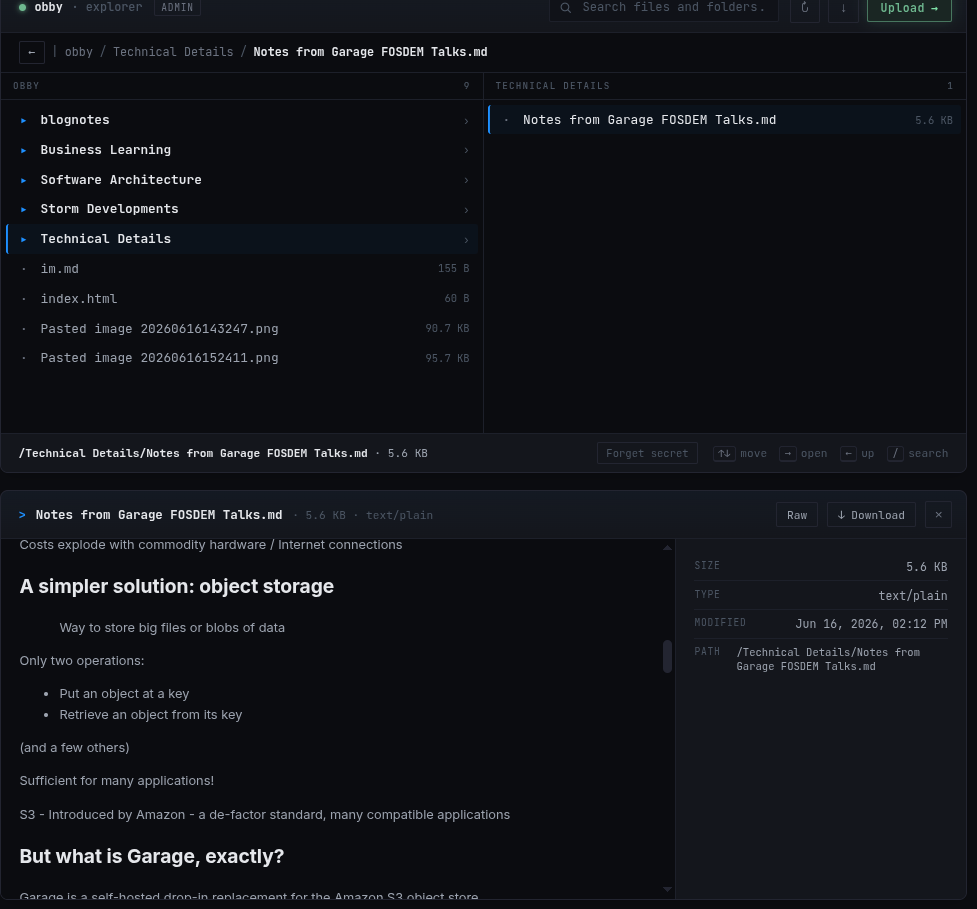
Text and markdown open their contents in the preview pane, so you can read a config or a note without pulling it down first. Everything downloads with one button when you do want the file itself.
Upload by drag, paste, or button
Drop files onto the page, paste an image from your clipboard, or use Upload. They land in the folder you are looking at and appear on the next refresh.
Unlock once per session
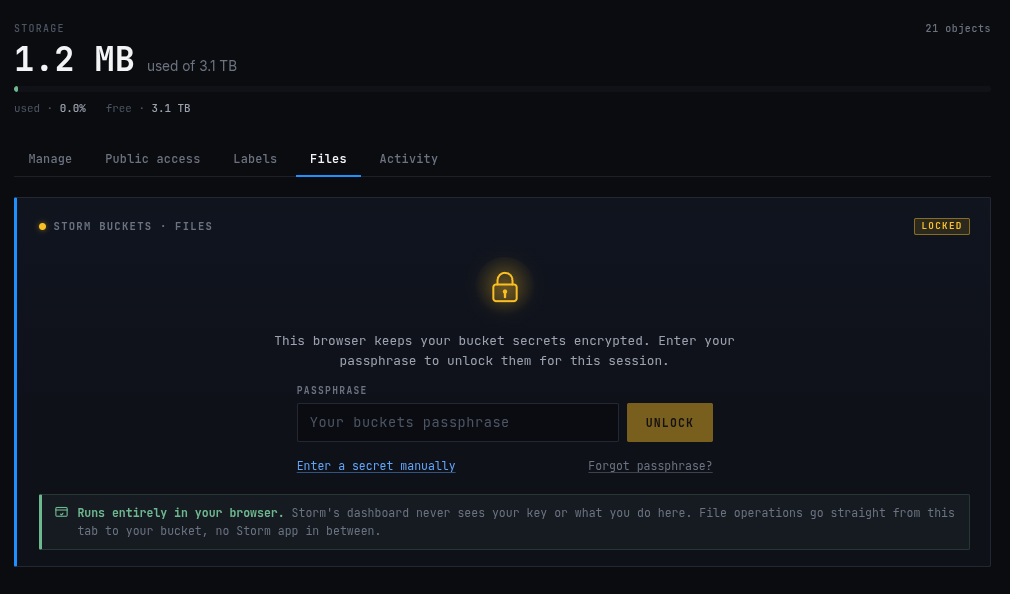
The first time you open the browser it asks for your bucket secret, then signs every request with it locally. You decide where it lives: encrypted in this browser behind a passphrase, in this tab only and forgotten when you close it, or in the browser profile for next time. The recommended option keeps it encrypted at rest, and Storm never receives the passphrase.
Frequently asked questions
Can I preview files in an S3 bucket?
Images render inline with their metadata, text and markdown files show their contents, and anything can be downloaded.
Can I upload to S3 from the browser?
Yes. Drag a file in, paste an image, or use the Upload button.
Does the file browser update automatically?
You refresh to pull the latest. The browser reads the bucket directly, so a refresh always reflects what is actually stored.
Does Storm see my access key?
No. Your browser holds it and signs requests directly, and the dashboard backend is never in the path. If you also need protection from Storm's operators, who have root on the node, encrypt your files on your own machine before they upload.
Does it work alongside rclone, the AWS CLI, or Obsidian?
Yes. It is a normal S3 bucket and the browser is one view onto it. Anything another S3 client writes shows up on the next refresh.
The Storm Buckets alpha is invite-only while we harden the platform. Founding Alpha slots are open: 100 GB on the Montreal node, free during alpha, and yours for life. If you want your backups, your media, or your weird side project on Canadian, open, auditable storage you can actually look at,
Request Access - Storm Buckets
100% Canadian Hosted.