Control Gates: Set What Each Action Costs
Every action the Storm Buckets dashboard can take now carries a gate you choose. Open, your password, an email code, your authenticator, or closed, set per action.
Control Gates were built because a password is not always enough, and sometimes it is too much. Some people want to create many buckets at once and rotate keys without being asked every time. Others want one bucket, one key, and everything else locked down. The dashboard has to serve both, so how locked down it is became the customer's call, action by action.
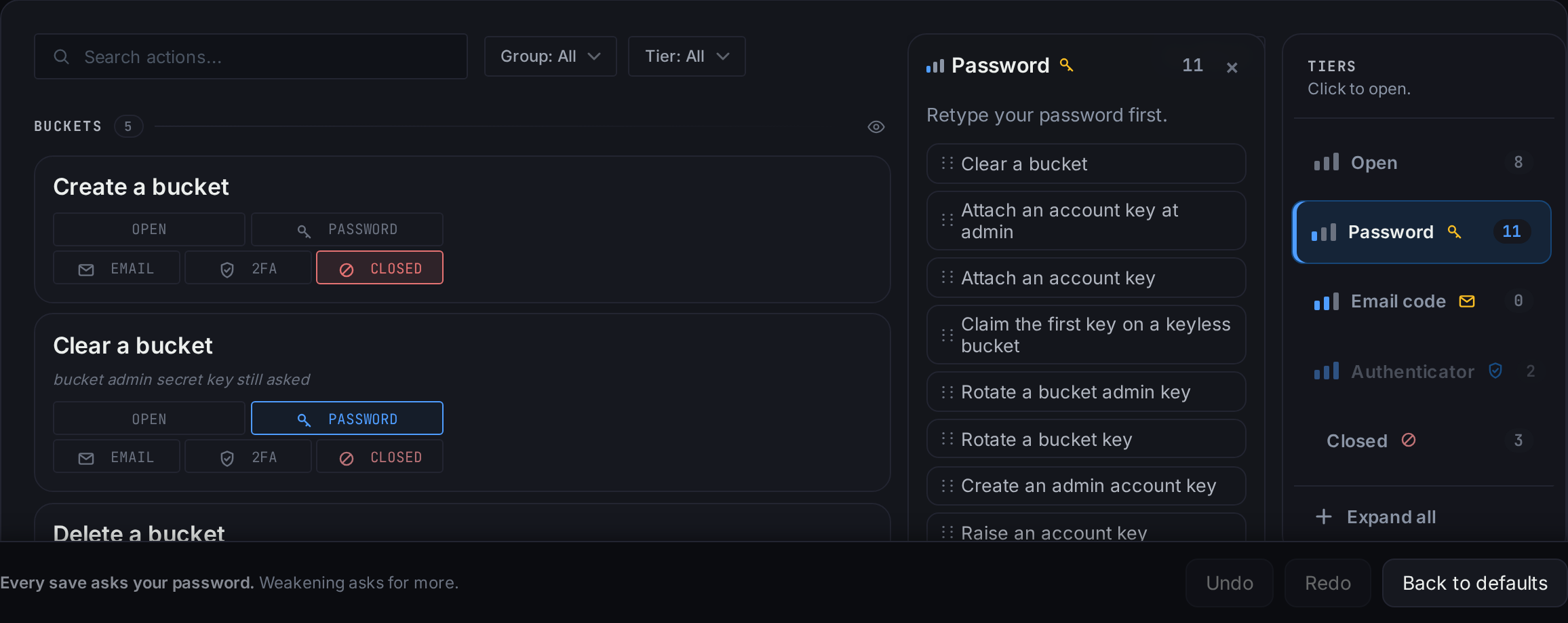
The board lists every action the dashboard can take, in four groups. Each takes one of five answers. Open runs the action with nothing asked. Password asks for your account password first. Email code sends a code to your verified address. Authenticator asks for the code from the app on your phone. Closed means the action does not run at all. These are three different checks. A password is something you know, the code is your inbox, the authenticator is your phone, and none stands in for another.
A new account changes nothing. The actions that hand out access ask for your password, and everything else is open, as the dashboard was before the board existed. Those rows never go below Password. The rows that get you back into a bucket or cut off a leaked key can never be closed, because a setting that could strand you is not one we will sell.
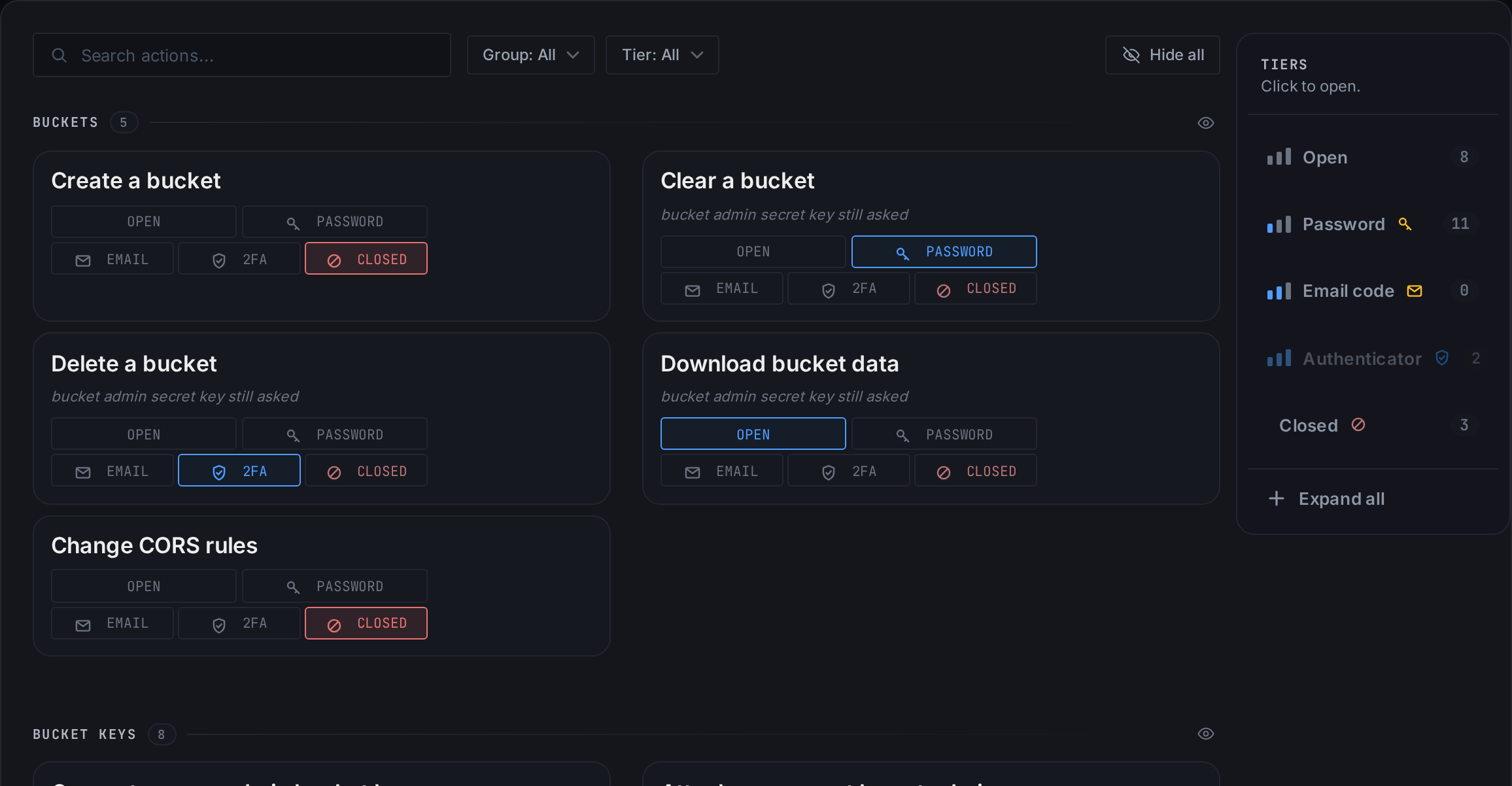
Buckets
Create, Clear, Delete, Download bucket data, Change CORS rules. All five start open. The person with forty buckets leaves them there. Someone with one bucket puts Delete and Clear on Authenticator and closes Create, and from then on nobody makes a bucket on that account without the gate being changed first, which asks for the password and mails the owner.
Clear, Delete and Download already ask for the bucket's admin secret key before they run, the row says so, and the check you set sits on top of that one and never replaces it.
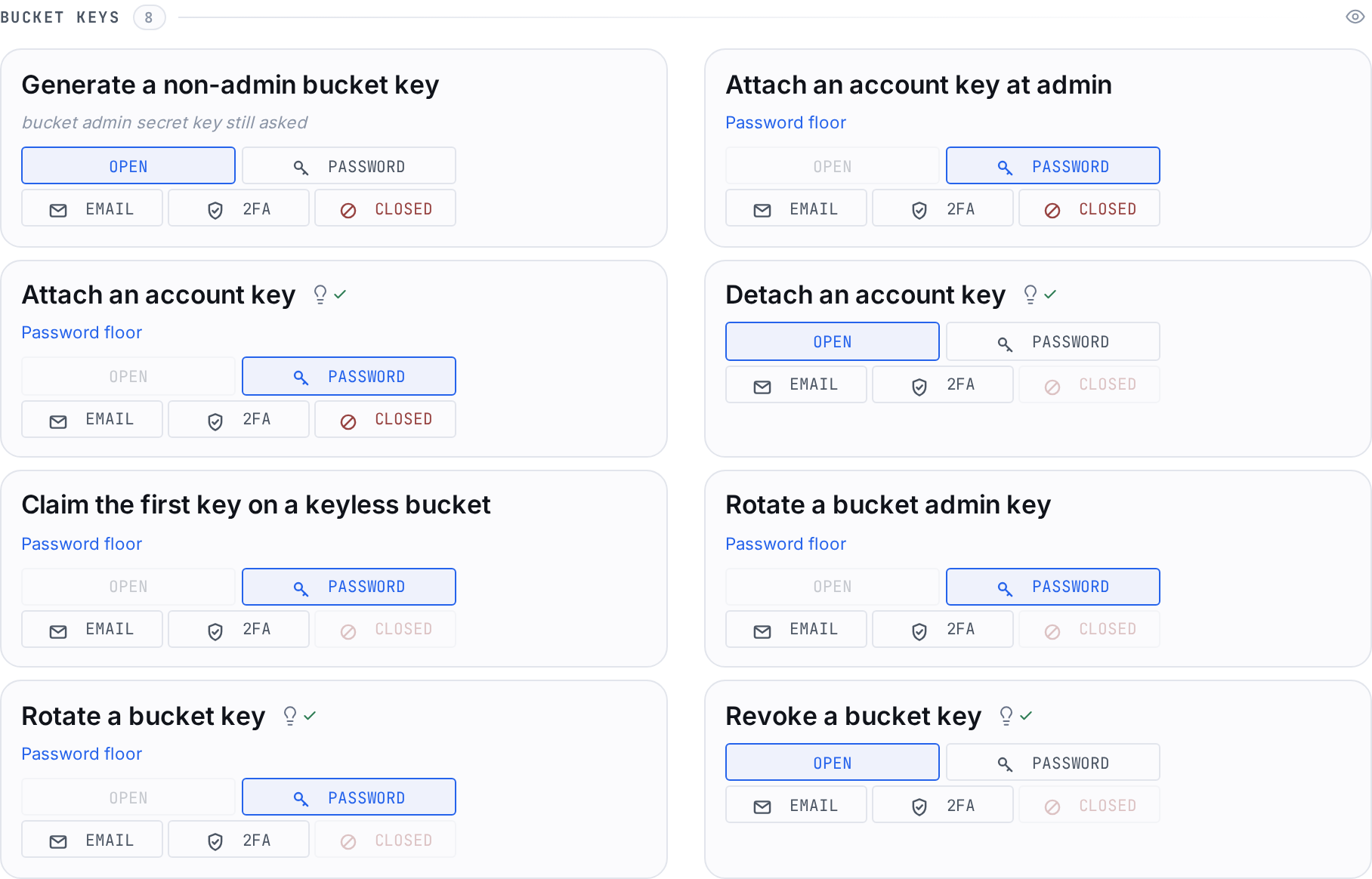
Bucket keys
Generate a non-admin bucket key, attach an account key, attach one at admin, detach, claim the first key on a keyless bucket, rotate, rotate the admin key, revoke. Claiming, attaching and both rotates put a key in someone's hands, so they never go below Password. Claiming the first key, both rotates and Revoke can never be closed. Attaching can be closed, and so can attaching at admin.
Revoke sits under Rotate with a lightbulb, which is our opinion. Cutting off a leaked key should stay cheaper than issuing a new one, so we recommend Revoke one step below Rotate. Set it the other way and the bulb goes red and says why, without stopping you. Detach sits under Attach the same way.
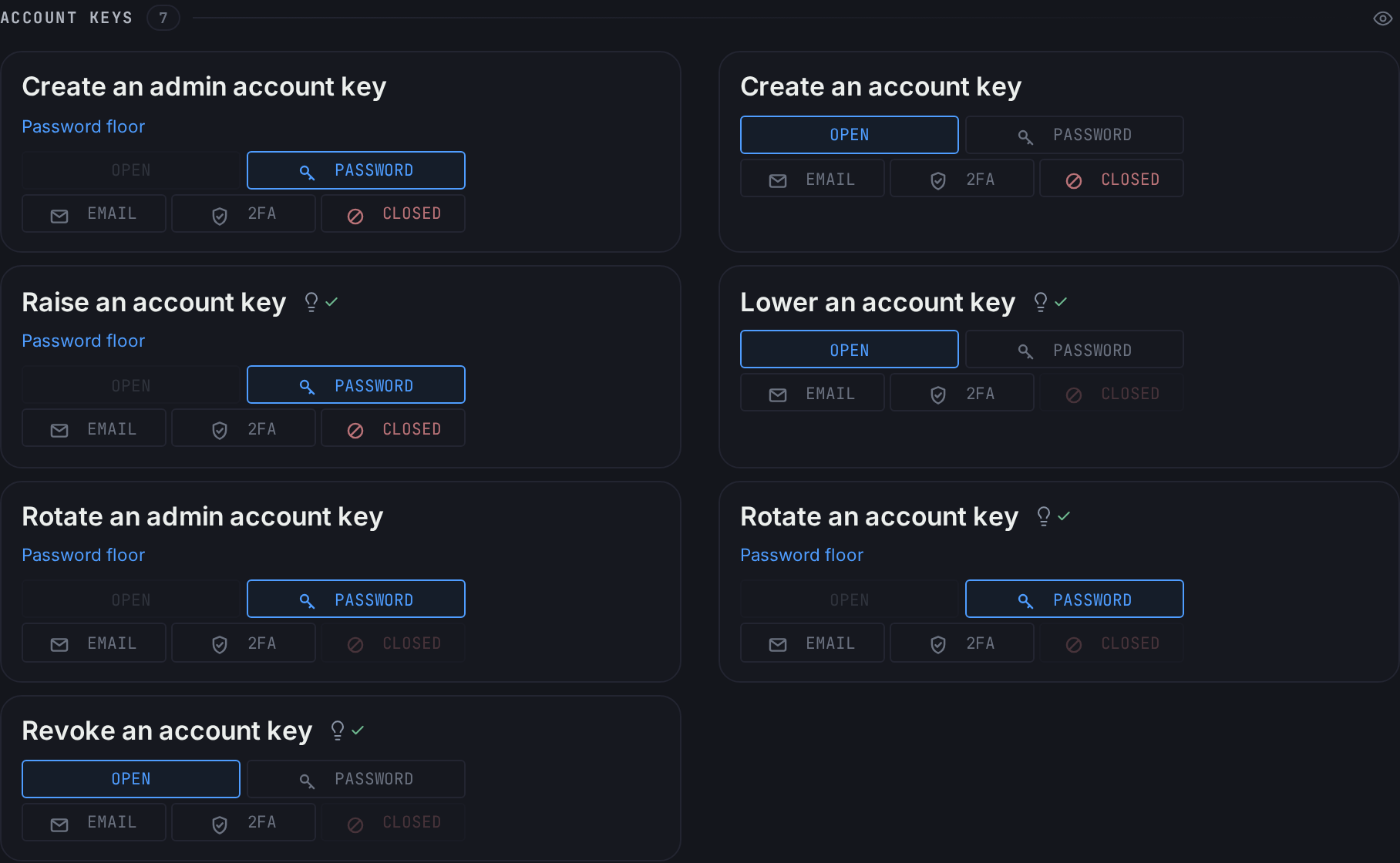
Account keys
Create an account key, create an admin one, raise a key's tier, lower it, rotate, rotate the admin key, revoke. Raising a key is how a read-only key becomes read-write or admin, so it never goes below Password and may be closed. Close it and no key on the account ever gets more access, read-only to read-write included. Lowering can go all the way down to Open and can never be closed, since taking access away is the safe direction.
Create an admin account key can be closed too. With Raise and Attach at admin closed beside it, "no new admin keys" is a rule the server enforces. Rotating the admin key can never be closed, because it is the way back.
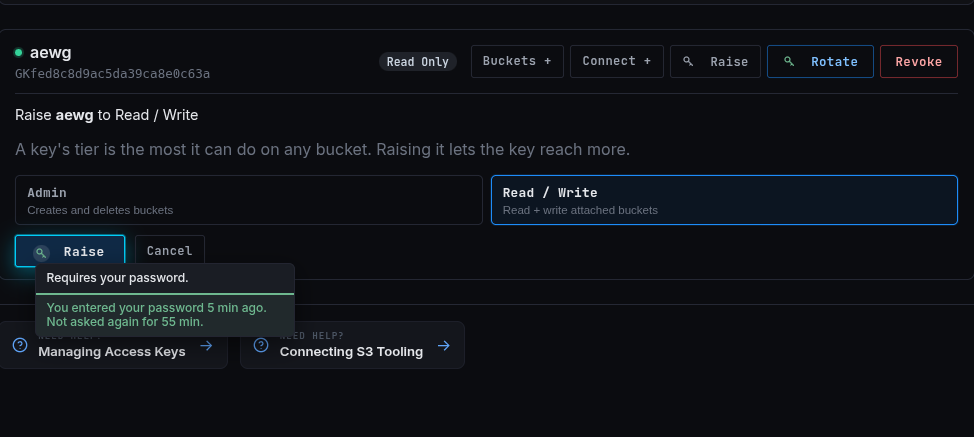
A check you pass is remembered for an hour in that browser, each kind of check on its own. Rotating ten read-write keys asks once. The hour counts from the check, not from your last click, and signing in does not count. When the memory answers for you the row says so. Hover the green mark and it tells you when you typed the password and how long before it asks again.
Anything involving an admin key never uses that memory and asks every time.
Tools
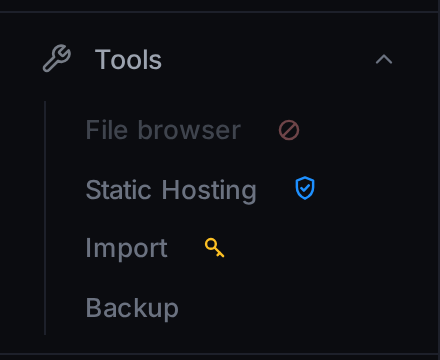
Import, Backup, the file browser and Static Hosting. Each asks once, when you open it. Until you pass, nothing of the tool shows, not even its history. The tool stays open while you work and asks again after fifteen idle minutes. A run you started keeps going while the tool is locked, and opening it again shows where it is.
Close a tool and its entry stays in the sidebar, greyed, with the reason on hover, and nothing behind it loads.
What is shared
Every save asks for your password. Making a check weaker also asks for the check you are leaving, so moving a row off Authenticator asks for an authenticator code. A weaker save signs out your other browsers, and raising a check signs out nobody. If the board changed on another device while you were editing, the save stops, the board reloads, and your edits sit on top for you to look at and save again.
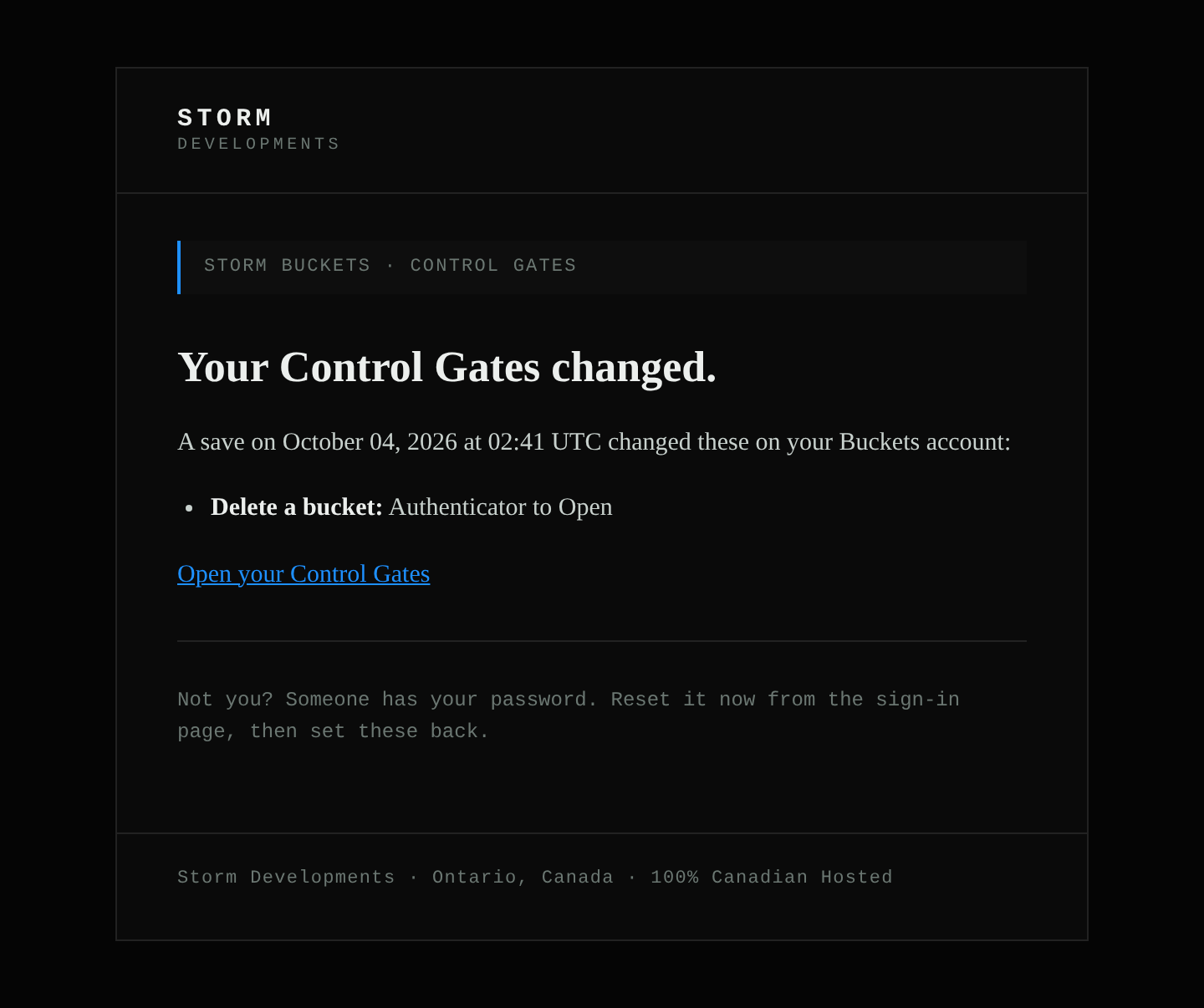
Weakenings are mailed to the account's verified address by default. The mail says what changed and when. If the change was not you, someone has access to your dashboard.
What this does not do
Your access keys and the S3 API are untouched. A key works the same whatever you set here. Control Gates govern the dashboard, the place a person sits. They do not change what your keys can do over S3. A leaked S3 key is still a leaked key, and the answer is still to revoke it.
Sign up for Storm Buckets
S3-compatible object storage hosted in Canada, operated by a Canadian company, on a stack you can read and leave whenever you want. Founding Alpha testers start with a 100 GB grant kept for life.
100% Canadian Hosted.
Frequently asked questions
Does a Control Gate protect my S3 keys?
No. It decides what the dashboard asks before a person acts there. Keys and the S3 API are not affected. A leaked key gets revoked, and that row can never be closed.
What happens if I set Authenticator before I have an app?
The Authenticator card on the board links to setting one up, and the action asks for the code once you have.
Can I close everything?
No. The rows that get you back into a bucket or cut off a leaked key can never be closed. The rows that hand out access never go below Password.
Does one check cover the whole session?
One of each kind of check, for an hour, in that browser. A password does not stand in for an authenticator code. Admin-key actions and saving the board always ask.
Who gets told when a gate changes?
The account's verified address, by default for weakenings, optionally for every change. The mail names the rows and the time, never the person or the IP.